
Dillingham Census Area Traffic Court Records Search
Traffic Court Records in Dillingham Census Area help people locate tickets filed in Dillingham, confirm the correct court office, and request copies when a docket needs more than a public summary. The local court serves as both superior and district court, so the filing path is usually straightforward once you know the case prefix and the right office address. This page explains how to search the records, how to request copies, and how to use the Alaska court tools that keep the search focused on the correct case.
Where Dillingham Census Area Traffic Court Records Start
The main court office for Dillingham Census Area Traffic Court Records is the Dillingham Superior & District Court at 476 Emperor Way South, Dillingham, AK 99576. The mailing address is P.O. Box 909, Dillingham, AK 99576. The court phone number is (907) 842-5215, and the fax number is (907) 842-4521. Case numbers from this court use the 3DI prefix, which is the fastest way to confirm that a traffic matter belongs in the Dillingham court file.
That office handles the local record path, so it is the first place to start when you need Dillingham Census Area Traffic Court Records. CourtView gives you the public case summary, but the clerk is the source for copies and for questions about a docket that does not appear online the way you expected. If you are checking a citation from a village or from the city itself, begin with the Dillingham court directory page and then move to the records portal if you need the public docket information.
The official court directory page is courts.alaska.gov/courtdir/3di.htm. That page confirms the Dillingham office and ties the 3DI case prefix to the local traffic records process. The statewide trial courts page at courts.alaska.gov/trialcourts/ is the next place to look if you want the broader records request workflow or need to confirm how Alaska trial courts handle document requests.
For a Dillingham Census Area Traffic Court Records search, the most useful details are:
- The 3DI case prefix if the case number is available
- The full name listed on the citation
- The citation number from the ticket or notice
- The approximate date of the violation or filing
- The Dillingham court contact information
If you have only a partial number or a name, that is still enough to start. The local prefix, the filing date, and the court directory usually narrow the search quickly enough to confirm whether the case is active, closed, or still being entered.
See the Dillingham court directory on the official Alaska Court System page for the office tied to Dillingham Census Area Traffic Court Records.
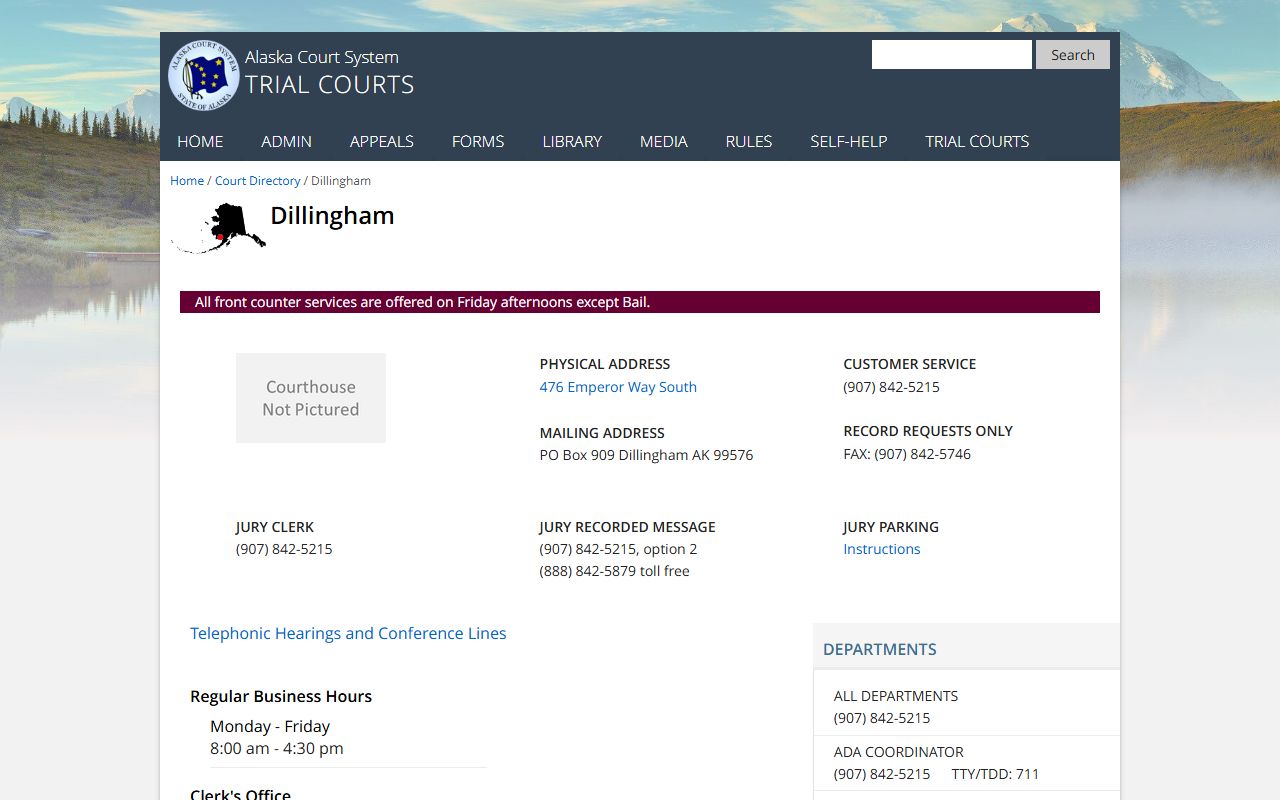
This directory view is the cleanest way to confirm the court location before you send a request or search for a docket entry.
Searching Dillingham Census Area Traffic Court Records in CourtView
The public portal at CourtView is the quickest way to search Dillingham Census Area Traffic Court Records. It allows searches by case number, party name, or citation number, which makes it practical when you are trying to match a ticket to a filed court case. If you have the 3DI case number, enter it exactly as shown. If you are using a name, try the name from the citation first and then test alternate spellings or middle initials if the result set is broader than expected.
CourtView is useful because it shows the public docket without requiring a records request for every small detail. In Dillingham Census Area Traffic Court Records, that docket can show filing dates, hearings, charge labels, and financial or disposition entries. That is enough for many people who want to know whether a ticket became a case, whether a hearing was scheduled, or whether a balance remains open. It is not the same thing as the full paper file, but it is usually the best place to start.
The Alaska traffic self-help page at courts.alaska.gov/shc/mo/index.htm helps explain the response tracks for traffic and minor offense cases, including what happens when a citation needs a plea, a payment, or a court appearance. The forms page at courts.alaska.gov/forms/index.htm is also important because it is where you find the standard court forms used when a case needs a response or when a file has to be requested from the clerk.
Before you contact the court about Dillingham Census Area Traffic Court Records, gather the following:
- The citation number
- The defendant’s full name as shown on the ticket
- The 3DI case number if the file has already been opened
- The date or month the citation was issued
- Any notice or hearing date already printed on the paperwork
That information usually gives the clerk enough detail to confirm the record quickly and avoid a broad, time-consuming search. It also helps you distinguish a newly issued ticket from a case that has already been filed and entered into the public system.
Requesting Dillingham Census Area Traffic Court Records Copies
For copies, use the standard Alaska TF-311 records request form. Dillingham Census Area Traffic Court Records use the same basic request structure as other Alaska trial courts, and the clerk can route the request once you identify the case. If you know the 3DI case number, include it on the request and in any email subject line. If you do not know the case number, give the best identifying details you have so the clerk can locate the right file without unnecessary back-and-forth.
If the docket shows a payment issue, the court payment page at courts.alaska.gov/trialcourts/payments.htm is the natural companion to the record search. Dillingham Census Area Traffic Court Records often show enough information in CourtView to tell you whether a balance is open, but the clerk can confirm how the payment was posted or whether the matter has already been resolved. That distinction matters because the public summary and the office copy may not match line-for-line if something was entered later.
The mailing address is P.O. Box 909, Dillingham, AK 99576, and the fax number is (907) 842-4521. Those contact points make it easy to send a written request if you are outside the local area. The court phone, (907) 842-5215, is useful when you want to confirm whether a request should go to the Dillingham office or whether another office should handle a related question. In person, the clerk can usually move fastest when the request is specific and includes the file number.
The Alaska statutes index at akleg.gov/basis/statutes.asp can help you interpret the traffic code reference that appears in a docket or citation. That is useful when the file uses a short offense description and you want to understand the language behind it. The statutes page is not a replacement for the record, but it helps explain the record so you can make a cleaner request and read the case more accurately.
See the Dillingham city website at www.dillinghamak.us for the local government entry point connected to the community around the court office.
This official city site helps confirm the local setting while the court system remains the place to search or request the traffic file itself.
Dillingham Census Area Traffic Court Records and Local Court Details
Dillingham Census Area Traffic Court Records are handled in a court that serves both district and superior functions, so the office can handle a traffic matter and a broader court issue from the same address. That makes the local directory especially important. Once you know the 3DI prefix, the case usually becomes much easier to track because the prefix points directly to the Dillingham filing office and reduces the chance that you will look in the wrong judicial location.
The court directory and the city website are the two most relevant local references for Dillingham Census Area Traffic Court Records. The directory confirms the court office, while the city site gives you the local government context around the area where the citation may have been issued. When you pair those with CourtView, TF-311, and the traffic self-help page, you have the full search path for most routine record questions. That path works whether you are checking a recent citation, a resolved matter, or an older case that needs a paper copy from the clerk.
If you are trying to understand the legal wording in a docket, the statute index gives you the broader framework for the offense code, but the court file remains the main record. That is the right order for a Dillingham Census Area Traffic Court Records search: find the filing court, confirm the public docket, and request the copy if the summary is not enough. The result is a cleaner search and a better chance of getting the right record on the first request.
For most users, Dillingham Census Area Traffic Court Records are easiest to manage when you keep the 3DI case prefix, the citation number, and the clerk’s contact information together. That combination gives you a fast search path and keeps the request tied to the right Alaska court office from the beginning.