
Search Denali Traffic Court Records
Denali Borough Traffic Court Records usually start at the Nenana District Court, which is the main court office for traffic citations, public docket searches, and copy requests tied to the borough. If you are checking a ticket, verifying a case number, or trying to obtain a record for your own files, begin with the Alaska Court System directory and CourtView before you contact the clerk. The case prefix, the mailing address, and the office hours all matter because they point you to the right court the first time. That is the cleanest way to move from a citation or notice to the actual record without sending the request to the wrong office.
Denali Traffic Court Records Snapshot
The Nenana District Court is the anchor for Denali Traffic Court Records. It is located at 102 West 8th Street, Nenana, AK 99760, with mailing address P.O. Box 449, Nenana, AK 99760. The clerk’s phone number is (907) 832-5430, the fax number is (907) 832-5841, and the records email is 4NEmailbox@akcourts.gov. The court is open from 8:00 AM to 12:00 PM and 1:00 PM to 4:30 PM. Those hours are important if you plan to call or visit in person, because the midday break can interrupt a short trip just as easily as it interrupts a phone call.
| Court | Nenana District Court, Fourth Judicial District |
|---|---|
| Address |
102 West 8th Street Nenana, AK 99760 |
| Mailing Address | P.O. Box 449, Nenana, AK 99760 |
| Phone | (907) 832-5430 |
| Fax | (907) 832-5841 |
| 4NEmailbox@akcourts.gov | |
| Case Prefix | 4NE |
| Nearest Superior Court | Fairbanks Superior Court, 101 Lacey Street, Fairbanks, AK 99701, (907) 452-9277 |
| Online Search | records.courts.alaska.gov |
The official directory entry at courts.alaska.gov/courtdir/4ne.htm is the first place to confirm the Nenana office details before you mail a request or plan a walk-in visit. The nearest superior court is in Fairbanks, and the official directory page for that office is courts.alaska.gov/courtdir/4fa.htm. Those two pages help you separate the traffic case location from any broader trial court question that might come up after the search.
The Nenana court directory image comes from courts.alaska.gov/courtdir/4ne.htm and identifies the district court that handles Denali Traffic Court Records.
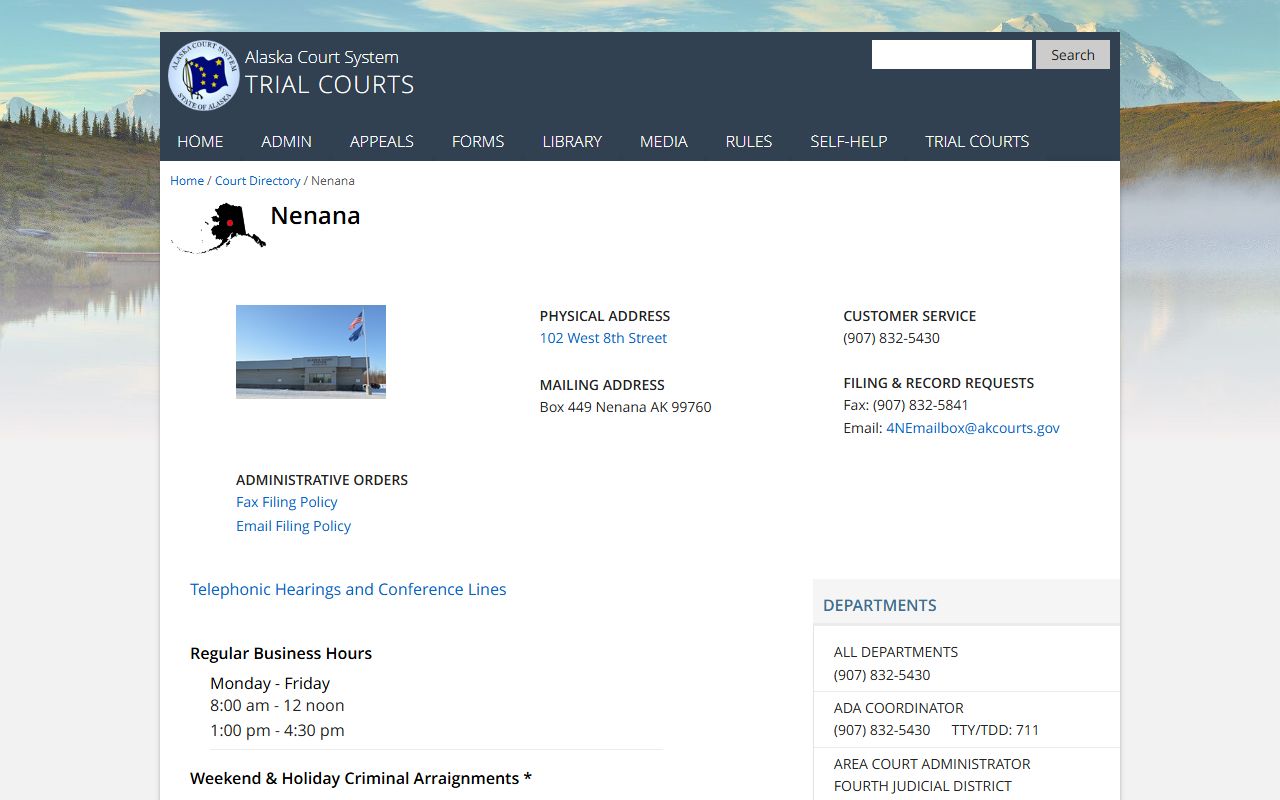
Use that directory entry to confirm the courthouse address, the clerk contact path, and the office hours before you make the trip or send a records request.
Where Denali Traffic Court Records Begin
Denali Traffic Court Records begin in the district court, and the 4NE prefix is the easiest way to match a public search result to the correct file. That prefix matters because CourtView may show more than one result when you search by name alone. If you already have the case number, use it. If you only have the citation number or the driver name, the public portal can still narrow the result enough to confirm whether the Nenana court has the record.
The Alaska Court System traffic self-help page at courts.alaska.gov/shc/mo/index.htm is the right next step when the file is tied to an active traffic citation. It explains the traffic response path and helps you read the docket in context. The statewide trial courts page at courts.alaska.gov/trialcourts/ is also useful because it shows how the district court fits into the larger Alaska court system. That context keeps a records search from turning into a generic internet search that never reaches the actual court file.
For Denali Traffic Court Records, the practical goal is simple. Match the citation to Nenana first, then decide whether you need a CourtView check, a clerk call, or a TF-311 request. If the file ends up in the wrong court office, the process slows down. If it begins with the right prefix and the right directory entry, the office can usually identify the record much faster.
Searching Denali Traffic Court Records in CourtView
CourtView at records.courts.alaska.gov is the most efficient starting point for Denali Traffic Court Records because it accepts a name, citation number, or case number. That flexibility matters in a rural borough where a driver may only have part of the citation information. The public result can confirm whether a case exists, whether a docket entry has been posted, and whether the court has already taken the next step. If the result begins with 4NE, the file belongs to Nenana.
The portal is useful before you contact the clerk, because it helps you avoid obvious mismatches. A search by name can return more than one person, so the citation number or case number is always better when you have it. If you do not, a combination of name, citation date, and place of contact can still narrow the result to the right traffic file. Once you see the record in CourtView, you know whether you need a copy request, a status check, or simply a better understanding of what the docket entry means.
That last point matters because the public portal and the actual case file are not the same thing. CourtView tells you the record exists and often shows the latest event. The clerk’s office controls the file itself. For Denali Traffic Court Records, that means the online search is a first step, not the finish line. If you need the document that sits behind the docket entry, you still have to use the court request process.
Requesting Denali Traffic Court Records Copies
When you need a copy of Denali Traffic Court Records, use the Alaska Court System forms page at courts.alaska.gov/forms/index.htm and look for the TF-311 request form. That is the standard request path for a case file, a docket printout, or a copy of a traffic document. It gives the clerk a clear way to route the request, which matters when the file is in a district court office rather than in a general public archive. If you have the 4NE case number, include it at the top of the request so the office can match the file quickly.
If you do not have the case number, include the citation number, the full name on the notice, the citation date, and any hearing date you know. Those details are enough for the clerk to search the file without having to guess which citation you mean. For Denali Traffic Court Records, a short and specific request is usually better than a long explanation. The goal is to make the file easy to find, not to describe the whole story of the traffic stop.
If the citation is still active or the docket shows a deadline, the traffic self-help page can help you understand what the court expects before you ask for copies. The forms page gives you the TF-311 route, and the self-help page explains the response context. Used together, they help you move from a public case search to the actual document without mixing up a records request with a response to the citation itself.
What Denali Traffic Court Records Can Show
A public search result can tell you that a file exists, but the underlying case record often tells the fuller story. Denali Traffic Court Records may show the citation details, the hearing history, the court’s final action, and any filed document connected to the matter. That makes the file useful when you are trying to confirm how a citation was resolved or when you need a paper trail for your own records. The docket can answer the first question. The file answers the deeper one.
Some entries are easy to read, while others only make sense once you see the underlying documents. That is why people often search CourtView first and then request the file. A traffic case can move through a payment, a hearing setting, a continuance, a dismissal, or a default entry, and the public summary may only show the latest step. The case file shows the documents that explain those steps. For Denali Traffic Court Records, that distinction is what makes the request worthwhile.
The most common items found in a traffic file are these:
- Case number, citation number, and party name
- Hearing dates, continuances, and appearance notes
- Payment entries, dismissals, or disposition information
- Filed documents tied to the citation
- References to recordings or procedural notes
If the docket raises a question about the current rule or filing requirement, the Alaska Legislature statutes database at www.akleg.gov/basis/statutes.asp is the official place to check the current text. That is useful for context, but it does not replace the court file. The file shows what happened in the case, while the statutes page helps explain the rule behind the action. For Denali Traffic Court Records, that is the most useful way to separate record retrieval from legal research.
Related Courts and Next Steps
If your search needs a broader court reference, the nearest superior court is in Fairbanks. Its official directory page at courts.alaska.gov/courtdir/4fa.htm gives you the address and phone number for that office. That matters when a traffic matter turns into a larger procedural question or when you need to confirm where a related filing should go. For the traffic record itself, though, Nenana remains the office that controls the file.
The official tools that keep Denali Traffic Court Records searches on track are CourtView at records.courts.alaska.gov, the traffic self-help page at courts.alaska.gov/shc/mo/index.htm, the forms index at courts.alaska.gov/forms/index.htm, and the statewide trial courts page at courts.alaska.gov/trialcourts/. If you use those resources in sequence, you usually move from search to request without losing the case number, the clerk contact, or the context that explains the docket entry.