
Find Nikiski Traffic Court Records
Nikiski Traffic Court Records are searched through the Kenai District Court because Nikiski is a census designated place in Kenai Peninsula Borough, not an incorporated city. That means there is no separate Nikiski courthouse to start with. The right path runs through the Kenai court directory, CourtView, and the standard TF-311 records request route. Nikiski sits between Kenai and Soldotna, so the filing court is the same central peninsula court that handles nearby traffic matters. Once you anchor the search to Kenai, it is much easier to find the citation, check the docket, or ask for a copy of the file.
Nikiski Traffic Court Records and Kenai
The Kenai District Court at 125 Trading Bay Drive, Suite 100, Kenai, AK 99611 is the filing court for Nikiski Traffic Court Records. The court directory at courts.alaska.gov/courtdir/3kn.htm is the cleanest first stop because it confirms the address, phone number, fax number, and records email. The office can be reached at (907) 283-3110, the fax is (907) 283-8535, and records requests go to 3KNmailbox@akcourts.gov. That gives Nikiski users one official court path instead of a guess based on community name alone.
The clerk's office has two short closure windows, Thursday from 8:00 AM to 9:00 AM and Friday from 12:00 PM to 1:00 PM. Those times matter if you plan to call or walk in. Nikiski sits in the same central peninsula traffic lane as Kenai and Soldotna, so the court knows the local travel pattern well. A citation from Nikiski usually points to the same 3KN filing court, and that makes the search more stable once you confirm the case code and the filing date.
That 3KN code is a real shortcut. CourtView uses it to separate Kenai cases from other Alaska traffic files. If you already have the citation number, use it. If you only have the name, keep the year or stop date close by so the portal and the clerk can narrow the record without bouncing through a long list. Nikiski Traffic Court Records are easiest to handle when you keep the court code, the party name, and the citation details together from the beginning.
Those contact details are useful before you ever request a copy. A quick call can confirm whether the record is in the public portal, whether the file is ready for release, and whether you need to bring extra identification. That matters in Nikiski because the court is in Kenai, not in the CDP itself. The closer your request stays to the filing court, the less time you lose trying to make a local office answer a court question it does not own.
The approved Kenai court directory image comes from the Kenai court directory.
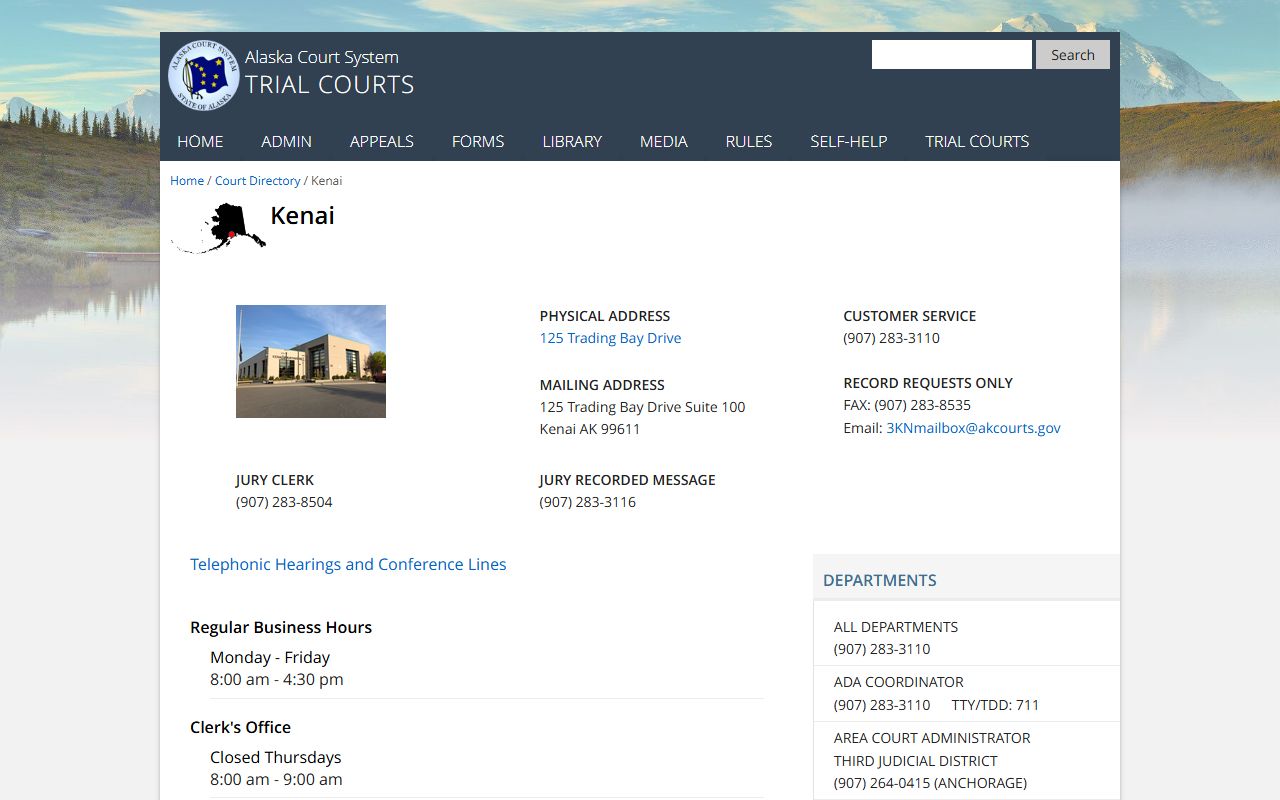
Use that image as the quick local reference for the Kenai filing court that handles Nikiski Traffic Court Records.
How to Search Nikiski Traffic Court Records
The public search begins with CourtView at records.courts.alaska.gov. Nikiski Traffic Court Records can be searched by name, citation number, case number, or hearing date, and the 3KN prefix helps keep the result tied to the Kenai court instead of to another Alaska location. If the search comes back broad, add the year, citation date, or case number to tighten it. That is the fastest way to tell whether the file is active, already resolved, or still waiting on the next court step.
The traffic and minor offense page at courts.alaska.gov/shc/mo/index.htm explains the basic traffic process and helps you match a citation to the next action. It is useful when the question is not just where the record is, but what the record means. If you need to read the statute itself, the Alaska Legislature site at akleg.gov/basis/statutes.asp gives you the official text. That is the better source when you want to compare the citation language with the court file or the later docket entry.
Nikiski searches are usually strongest when you work from the filing court outward. The community name tells you where the stop happened. The court code tells you where the file lives. CourtView gives you the public search. The Kenai directory gives you the contact path. When you use those pieces together, the search stays tight and the record is easier to find without drifting into unrelated peninsula cases.
If the portal result is thin, do not treat that as a dead end. Traffic files sometimes appear in stages, and a clean citation search may work better than a name search if the name is common. The same is true in reverse. A case number can uncover the file in one step, while a broad name search may return too many records. For Nikiski, the best habit is to try the exact citation first, then fall back to the name, then add the year if the list is still too wide.
Request Nikiski Traffic Court Records
If you need copies, the official records path runs through the statewide trial courts page at courts.alaska.gov/trialcourts/. For Nikiski Traffic Court Records, use the standard TF-311 form from courts.alaska.gov/forms/index.htm. There is no separate Nikiski request form because the case is filed at Kenai. That is why the courthouse, the form, and the portal all point back to the same 3KN filing court.
The form needs the requestor's name, contact information, case name, case number, and the specific file items you want. Those details matter because the clerk has to match the exact traffic case before anything is released. If the case number is missing, the court has to search first. That can slow the process, so the cleanest move is to confirm the record in CourtView, then send the request with the same name and citation information that appears in the court system.
When the question is payment or copy cost, the official pages are the payment page at courts.alaska.gov/trialcourts/payments.htm and the fee page at courts.alaska.gov/shc/courtfees.htm. Those pages help you check the current path before you ask for a certified copy or send money with a request. That matters in Nikiski because the file is not in a local city office, so the court process itself is the place where both the record and the payment rules live.
That same approach helps if you need more than a plain docket check. A certified copy, a regular copy, or a hearing record each follows the same Kenai filing court, but each one has its own paper trail. If you know which document you want before you file the request, the court can move faster. It also helps to keep your mailing address and email correct, because a missing contact detail can turn a simple request into a back-and-forth exchange that slows the release of the record.
Central Peninsula Access Path
Nikiski is a CDP on the Kenai Peninsula between Kenai and Soldotna, so the local context is simple but important. There is no separate city courthouse, and there is no separate city traffic file room. The filing court is Kenai. That makes Nikiski Traffic Court Records a regional court search rather than a city hall search. The center of gravity is the Kenai District Court, and the official directory keeps that path clear.
That local split matters because it tells you what not to do. A borough place name is useful for location, but it does not hold the docket. The court holds the docket. When you keep those roles separate, you can use CourtView for a quick check, the court directory for contact details, and the TF-311 form for a copy request without wasting time on the wrong office. Nikiski users usually save the most time when they treat the case as a Kenai filing from the start.
The central peninsula pattern also helps when the citation was issued near a shared road or a route that cuts across community lines. The stop may be local, but the record still belongs to the same Kenai court. That is why the search is easier once you think in terms of the filing court, not just the road name or the nearby community label.
That split also keeps the page local without pretending Nikiski has a courthouse of its own. It does not. The court work happens in Kenai, and that is where the file search belongs. If you keep that in mind, you avoid wasting time on local pages that only describe the place and never explain where the traffic record is actually stored. For a Nikiski search, the filing court is the thing that matters most.
What Nikiski Traffic Court Records Show
Nikiski Traffic Court Records can show the citation number, docket history, hearing date, payment activity, and the outcome entered by the court. That is enough to answer the usual questions people bring to the court search. You can see whether a citation was filed, whether a hearing was set, and whether the case ended in a payment, a plea, or another court action. The file gives the court version of the story.
Those records also help you separate the traffic case from any police-side paperwork or local community context that may have started the process. The stop, the citation, and the filed case are related, but they are not the same thing. If you need the filed matter, Kenai is the right office. If you only need place context, Nikiski tells you where the event happened. That distinction keeps the search practical and keeps the record request on the right track.
When the portal already shows the case, the next step is simple. When it does not, the Kenai request path still works. Either way, the goal is the same. Move from Nikiski to the correct traffic court record without sending the request to a local office that does not keep the file.
For a lot of users, the real value of the record is the timeline. The docket can show when the ticket was filed, when the hearing happened, and whether the case ended in payment or another court outcome. That makes Nikiski Traffic Court Records useful even when the original citation is easy to remember, because the court file gives the clean official history. The farther the matter moves from the roadside stop, the more important that history becomes.