
College Traffic Court Records
College is a census designated place in Fairbanks North Star Borough, and College Traffic Court Records are searched through the Fairbanks District Court rather than through a separate local courthouse. That matters because College sits near Fairbanks and is home to the University of Alaska Fairbanks, so a ticket can feel local without being stored locally. If you need to confirm a citation, check a hearing result, or request a copy of the file, start with the Fairbanks court directory and CourtView. That path keeps the search on the real record instead of a guess about where the case might live.
Where College Traffic Court Records Are Kept
The Fairbanks Superior Court and Fairbanks District Court both operate from 101 Lacey Street, Fairbanks, AK 99701, and that shared courthouse is the record source for College traffic matters. Customer service is (907) 452-9277, the minor offense and traffic line is (907) 452-9238, and the records email is 4FArecords@akcourts.gov. College does not have its own court office, so the filing, docket, and copy request path all run through Fairbanks.
The court directory at courts.alaska.gov/courtdir/4fa.htm gives the direct courthouse listing, while the public records portal at records.courts.alaska.gov opens the CourtView search path for case details. The statewide trial courts page at courts.alaska.gov/trialcourts/ helps if you want the bigger Alaska court structure around the Fairbanks office. Those pages work together better than a broad web search because they keep the record tied to the office that actually holds it.
College cases often begin with the 4FA prefix, which is a practical clue when you are searching by name or citation number. The borough site at www.fairbanksnorthstarborough.gov can help with local place context, and the University of Alaska Fairbanks home page at www.uaf.edu helps identify the campus setting. Neither page replaces the court file, but both help explain why a College citation still ends up in the Fairbanks system.
Note: The college area is a place name, not a court office, so the courthouse search is still the part that gets you the real record.
The approved Fairbanks court directory image below comes from the official Fairbanks court directory.
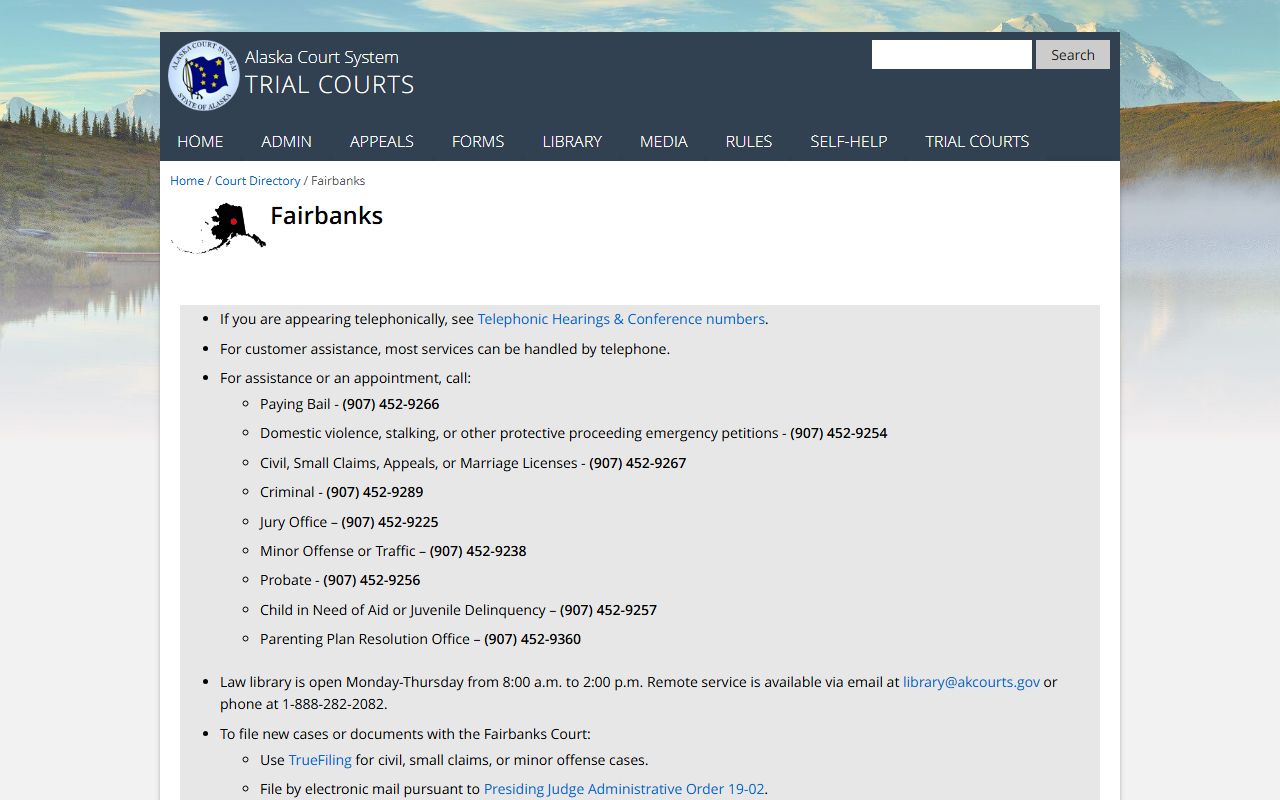
That official directory is the right fallback when no College-specific image is approved, because the Fairbanks courthouse serves the area.
How to Search College Traffic Court Records
The fastest College search usually starts with a citation number, a case number, or the full name on the ticket. If you have the 4FA case number, the search can move quickly because it confirms that the file belongs in Fairbanks. If you do not, CourtView can still search by name and date. A campus citation can still be found that way, but a tight search keeps you from pulling the wrong person or the wrong court file.
The traffic self-help page at courts.alaska.gov/shc/mo/index.htm is a useful next stop when you want the plain-language process after a citation is issued. The forms page at courts.alaska.gov/forms/index.htm gives you the court forms, while the records portal at records.courts.alaska.gov shows the public case summary. If the citation involves a campus stop, those pages still point to the same court office in Fairbanks.
When you are preparing a search, keep the important details in one place:
- Citation number printed on the ticket
- 4FA case number if the file is already open
- Full name exactly as written on the citation
- Approximate date or month of the stop
- Campus location if the stop happened on or near UAF
The clearest searches tend to be the shortest ones. One clean name and one good date often do more than a long guess. If you are unsure whether the citation even became a court file, CourtView is the easiest place to test that before you ask for copies.
Note: A campus stop can still land in the Fairbanks file room, so the search should follow the case number, not the campus label alone.
College Traffic Court Records Near UAF
College is tied closely to the University of Alaska Fairbanks, which is why the campus site at www.uaf.edu belongs in the local context even though it is not a records archive. The university homepage helps with place names, campus landmarks, and the general setting around a citation. It does not replace the traffic court file, and it should not be treated like a court docket. The file itself still sits with the Fairbanks District Court.
That distinction matters if a citation came from a campus stop, a university-area road, or a location near the university. The enforcement side may involve campus or borough context, but the judicial file still belongs to Fairbanks. If you search the university site for a traffic record, you will only get place context, not the court case history. The better route is still CourtView, the directory, and the records request path.
If you want to compare the campus setting with the broader borough map, the Fairbanks North Star Borough site at www.fairbanksnorthstarborough.gov is the second local context page to keep in mind. It explains how College fits into the borough, while the court directory explains where the record lives. Together, they help you keep the site and the case separate.
Note: UAF gives context for the place, but it is not the traffic record source, so the court directory still comes first.
Requesting College Traffic Court Records
If you need a copy of the file, TF-311 FBKS is the Fairbanks records request form. The forms page at courts.alaska.gov/forms/index.htm is the official entry point, and the same forms family also points you toward TF-304 FBKS if you need audio instead of paper. That separation matters because a written docket copy and a hearing recording answer different questions. The court can help more quickly when you ask for the right one.
Fairbanks online and email requests usually take four to six weeks, while in-person requests with a case number are current. If the clerk has to search without a case number, research time can apply. That is why College requests go faster when you gather the citation number, the 4FA case number, or at least the full name and hearing date before you call or send the request. The office phone, records email, and traffic line all belong to the same courthouse path.
TrueFiling at courts.alaska.gov/efiling/truefiling.htm is the filing path when a traffic matter needs a document entered into the case instead of a copy pulled from the file. If you need the law text behind a citation or procedure, the Alaska statutes database at akleg.gov/basis/statutes.asp gives you the official wording. Those pages do not replace the file, but they keep the request and filing steps grounded in official sources.
In practice, the easiest College requests are the ones that stay focused. Ask for the paper record if you need a paper record. Ask for audio if you need the hearing itself. That simple split keeps the process fast and avoids asking the clerk to guess at what you meant.
What College Traffic Court Records May Show
College Traffic Court Records can show the citation number, the 4FA case number, hearing dates, docket lines, payment entries, and the final disposition. That makes them useful when you need to verify that a campus-area citation was resolved or when you want a paper record to keep with your own files. CourtView may give you the current status, but the file is the better source when you need the official case history.
Those records can also help separate the school setting from the court setting. A campus stop may involve a university officer or a nearby road, but the court action still happens in Fairbanks. That means the docket tells you what the judge or clerk entered, while the UAF site or borough page only helps with the local map. Keeping those jobs separate makes the search clearer and the request easier to send.
If the case is old or the portal view is thin, the request form and the records email become more important than the summary. That is where the Fairbanks directory, the forms page, and the records portal work together. Once you use them in that order, the College search becomes a record search instead of a guess about which office might know the answer.